

Turning a Cart Into an Order
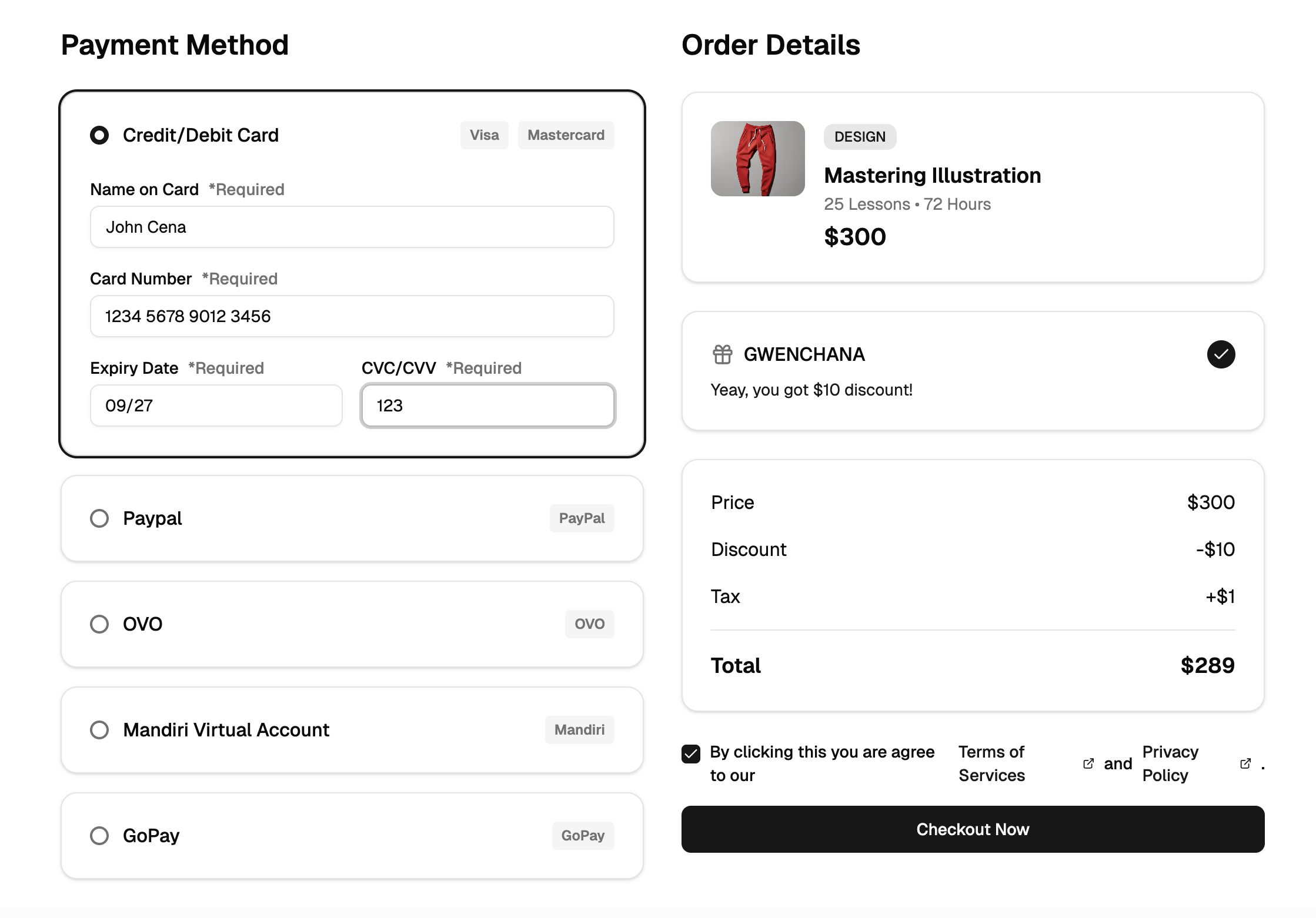
A checkout page is the final stretch of an e-commerce flow, the screens between a filled shopping cart and a confirmed order. This checkout block implements that stretch as a guided multi-step process: a Shadcn UI stepper walks shoppers through cart review, contact information, shipping, and payment, while an order summary stays in view and updates as choices change.
Each stage is a real form, not a mockup. Fields validate as users move forward, the card number input is masked as it is typed, and delivery versus pickup is chosen through radio groups that adjust the rest of the shipping step.
One Flow, Many Storefronts
The block fits classic online stores first, but the stepper pattern generalizes to anything sold in steps: digital products, event tickets, subscription upgrades, service bookings with address and payment details, or B2B order forms. Because the steps are separate form sections, removing one, such as shipping for digital goods, shortens the flow without breaking it.
It is also a strong reference implementation. If you already have a checkout and want to improve conversion, the way this block separates concerns, one schema per step, one store for cart state, is a pattern worth borrowing wholesale.
Validation, Masking, and the Stepper
Forms are managed with React Hook Form and validated against Zod schemas through the resolver bridge, so every step declares its rules as a typed schema and the UI reports errors through the Shadcn UI Form components. Users cannot advance past a step with invalid data, which is the behavior that makes multi-step checkouts trustworthy.
Payment inputs use the use-mask-input library, formatting card number and expiry fields as the user types. Shipping method and delivery-or-pickup choices run on the Shadcn UI Radio Group, and the stepper component itself tracks and renders progress across the four stages.
Cart State That Survives Every Step
A Zustand store holds the cart items, their quantities, and the current step, keeping the Tailwind-styled order summary in sync no matter where the shopper is in the flow. Quantity changes in the first step immediately reprice the summary, and the current step lives in the same store, so navigation and data never drift apart.
This design pays off at integration time: your product catalog fills the store, and your payment provider consumes what the store holds at the final step. The React components in between do not need to know where the data came from.
Restyle It With CSS Variables
The checkout reads its entire palette from Shadcn UI design tokens in globals.css: card surfaces, borders, muted helper text, and the primary color that drives buttons and active stepper states. Adjust the tokens and the flow adopts your brand in both dark and light mode, with no per-component color edits.
Layout tweaks are ordinary Tailwind work. Move the order summary above the form on mobile, compress the stepper labels to icons, or restyle the payment card fields, all in plain JSX with utility classes.
Install Paths and Real Payment Data
Inside the block you will find the Shadcn UI Stepper, Form, Input, Input Group, Select, Radio Group, Checkbox, Card, Separator, and Button components. The block ships in React, Vuejs, and Svelte versions built from the same design, with the Vuejs and Svelte editions building on the shadcn-vue and shadcn-svelte ports.
Checkout Page is a pro block, so the code and CLI install unlock with an All Access plan. Use the shadcn CLI command at the top of the example page with npm, pnpm, yarn, or bun, or copy the files from the code tab. Then load real cart items into the store, and submit the validated payment step to your payment provider's API or tokenization SDK.